MYOB Acumatica

WARECONNECT FOR MYOB ACUMATICA

More control from supplier invoice to payment in MYOB Acumatica

WareConnect adds a specialised Accounts Payable control workflow around MYOB Acumatica — connecting purchasing context, Goods Receipt, 2-way and 3-way matching, invoice approval, Supplier Statement Reconciliation and payment decisions while MYOB Acumatica remains your ERP and financial system of record.

Finance and operations leaders discussing enterprise purchasing
MYOBAcumatica
WareConnect
Real-Time Acumatica API Integration2-Way & 3-Way MatchingGoods Receipt / Purchase Receipt Post-BackInvoice ApprovalSupplier Statement ReconciliationPayment Run Approval

For organisations looking to improve MYOB Acumatica AP automation, the objective is not simply faster invoice processing. It is better control over what matches, what needs review, what is reconciled and what is ready for payment.

The AP control challenge around a larger ERP environment

MYOB Acumatica provides the ERP and financial foundation for the business.

For many mid-sized and growing organisations, however, the Accounts Payable challenge is not whether Acumatica can record the transaction. It is making sure the right checks, approvals and payment decisions happen around it.

Accounts Payable specialist comparing invoice documents and records

Before an AP Bill is created, finance may need to know:

  • Was the Purchase Order valid?
  • Were the goods or services received?
  • Does the supplier invoice agree with the Purchase Order and receipt information?
  • Who needs to review an exception?

Before payment, finance may also need to know:

  • Has the supplier statement been reconciled?
  • Which Open Bills should be included in this payment cycle?
  • Should an invoice be paid in full, partially, held or excluded from the run?
  • Who has authorised the final payment batch?

WareConnect brings these control stages together while MYOB Acumatica stays at the centre of the ERP process.

Extend MYOB Acumatica — do not replace it

WareConnect is designed to work around selected Acumatica processes, not recreate the ERP.

MYOBAcumatica

MYOB Acumatica remains responsible for

  • ERP and financial accounting
  • Supplier and master information
  • Purchase Orders
  • Core purchasing records
  • AP Bills
  • Financial posting
  • Approved cheque/payment records
  • Broader finance and operational processes
WareConnect

WareConnect adds

  • Real-time Purchase Order context
  • Goods Receipt workflow
  • Purchase Receipt post-back to Acumatica
  • Supplier invoice processing
  • 2-way and 3-way matching
  • Invoice approval
  • Exception handling
  • AP Bill and invoice PDF post-back
  • Supplier Statement Reconciliation
  • Payment Run Approval
  • Agreed Configurable Workflow Extensions

One clear system boundary WareConnect manages the specialised control workflow. MYOB Acumatica remains the ERP and financial system of record.

From Purchase Order to payment approval

The standard WareConnect for MYOB Acumatica workflow begins with the Purchase Order already created in Acumatica.

Purchasing Context

  1. Purchase Order created in MYOB Acumatica

    Purchasing remains within Acumatica.

  2. PO context retrieved in real time

    WareConnect connects through the Acumatica API and retrieves the purchasing information required for the downstream workflow.

  3. Goods Receipt completed in WareConnect

    Operational users record the receipt of the goods or services through WareConnect.

  4. Purchase Receipt posted back to MYOB Acumatica

    The WareConnect Goods Receipt is posted back to Acumatica as the corresponding Purchase Receipt.

Invoice Control

  1. Supplier invoice received

    The supplier invoice enters the WareConnect Accounts Payable workflow.

  2. 2-way or 3-way matching

    WareConnect compares the supplier invoice with the relevant Purchase Order and, for 3-way matching, the Goods Receipt / Purchase Receipt context.

  3. Approval and exception handling

    Matched transactions can progress; differences and business exceptions remain visible for review.

  4. AP Bill and invoice PDF posted to Acumatica

    Once approved, WareConnect creates the supported AP Bill information in MYOB Acumatica and posts the invoice PDF.

Pre-Payment Control

  1. Supplier Statement Reconciliation

    Supplier statement information is compared against relevant Open Bills in Acumatica to identify missing or mismatched items.

  2. Payment Run Approval

    WareConnect retrieves relevant Open Bills and gives finance a controlled process for preparing and approving the proposed supplier payment batch.

  3. Approved cheques posted to MYOB Acumatica

    Following approval, the supported approved cheque transactions are posted back into Acumatica.

Banking boundary Bank-file preparation and banking-portal upload remain outside the WareConnect Payment Approval workflow.

See the workflow around your own Acumatica process

Show us how Purchase Orders, receipts, supplier invoices and payment approvals work today. We can demonstrate where WareConnect can add control without replacing the ERP at the centre of your business.

Match. Approve. Reconcile. Pay with control.

WareConnect brings four important finance decisions into one connected Acumatica workflow.

MATCH

Connect supplier invoices with the Purchase Order and receipt information needed to make the decision.

APPROVE

Give approvers the supplier invoice, purchasing context and identified exceptions before the transaction becomes an approved AP Bill.

RECONCILE

Compare supplier statements with Acumatica Open Bills and identify missing or mismatched items before payment.

PAY WITH CONTROL

Prepare the proposed payment batch, consider due dates and cash flow, select full or partial payments, keep held or disputed items outside the run and route the batch for senior approval.

Goods Receipt and 3-way matching for MYOB Acumatica

Bring receipt information into the AP decision

A Purchase Order tells finance what the organisation intended to buy. Goods Receipt confirms what was actually received. The supplier invoice shows what the supplier wants to charge.

WareConnect brings these three pieces of information together. Goods Receipt can be completed in WareConnect and posted back into MYOB Acumatica as the corresponding Purchase Receipt.

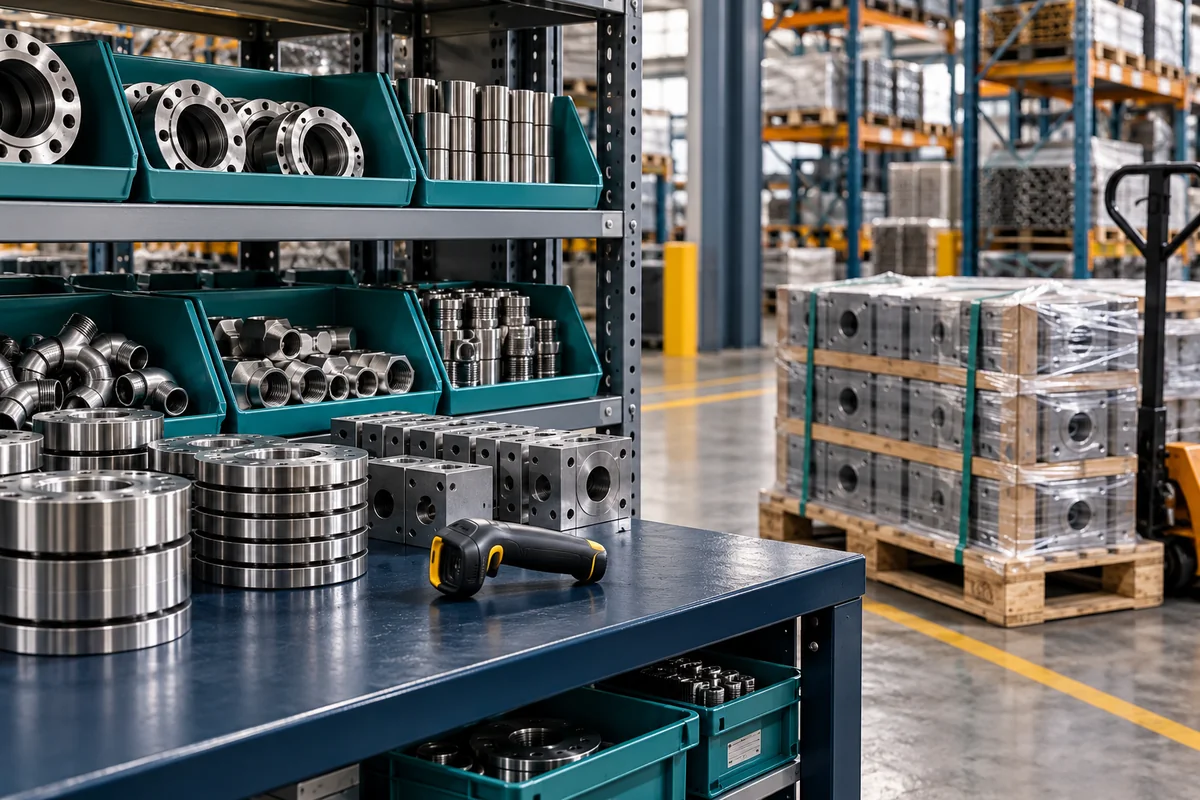
Illustrative organised industrial inventory and receiving equipment

2-way matching

Supplier Invoice ↔ Purchase Order Compare invoice information against the relevant PO before approval.

3-way matching

Supplier Invoice ↔ Purchase Order ↔ Goods Receipt / Purchase Receipt Add receipt information to confirm that what is being invoiced aligns with what was ordered and received.

When information agrees

Routine work can progress efficiently.

When something does not agree

The difference remains visible for review before the invoice becomes an approved AP Bill.

Invoice approval and exception handling

Give approvers the information behind the decision

Approval should not require someone to piece together an emailed invoice, ERP records and separate conversations.

WareConnect can bring the supplier invoice together with relevant Purchase Order, Goods Receipt and exception information for the approver. Approvers can review the relevant context before taking action.

Once the required approval process is complete, WareConnect can create the corresponding AP Bill in MYOB Acumatica with the supported transaction detail and invoice PDF.

Department managers reviewing an invoice folder

High automation where possible. Control where needed.

Routine matched work can progress efficiently. Where a business decision is required, the exception remains visible for review. Automation supports the control process — it is not the business outcome.

Supplier Statement Reconciliation against Acumatica Open Bills

Know what is missing before the payment decision

Supplier statements can expose problems that were not obvious during normal invoice processing.

WareConnect compares supplier statement information with Open Bills in MYOB Acumatica.

Finance specialist comparing a supplier statement with open-bill information
  • Missing bills
  • Amount differences
  • Unmatched statement items
  • Items requiring Accounts Payable investigation

Instead of manually checking every statement line, finance can focus on the exceptions requiring attention.

  1. Statement

  2. Compare with Acumatica Open Bills

  3. Exceptions

  4. Finance resolves

  5. Payment decision

Important system boundary Supplier Statement Reconciliation is a control and investigation process. The reconciliation step does not write accounting changes into MYOB Acumatica. Acumatica remains unchanged while finance resolves the identified discrepancy.

Reconcile first. Resolve exceptions. Make the payment decision with better information.

Payment Run Approval

Control what gets paid, when it gets paid and who approves it

An approved AP Bill is not always ready to be paid immediately. Due dates, cash-flow priorities, disputes, partial payments and business priorities can all affect the final payment decision.

WareConnect retrieves relevant Open Bills from MYOB Acumatica and gives finance a controlled workspace for preparing the proposed supplier payment run.

Finance leaders reviewing a proposed payment schedule
  1. Open Acumatica Bills

  2. Payment Batch Prepared

  3. Due Dates & Cash Flow Reviewed

  4. Supplier and Invoice Details Reviewed

  5. Full / Partial Payments Selected

  6. Held or Disputed Items Kept Outside the Run

  7. Batch Submitted to Authorised Approver

  8. Batch Approved or Adjusted

  9. Approved Cheques Posted to MYOB Acumatica

  • Review relevant Open Bills
  • Consider due dates
  • Consider cash-flow priorities
  • Review supplier and invoice details
  • Select full or partial payment
  • Keep held or disputed items outside the run
  • Route the proposed batch for authorised approval
  • Maintain visibility over what was approved

System boundary Bank-file preparation and banking-portal upload remain outside the WareConnect Payment Approval workflow.

Real-time integration with MYOB Acumatica

Keep the workflow connected to the ERP

WareConnect uses the Acumatica API to support real-time interaction between the control workflow and MYOB Acumatica.

MYOBAcumatica
WareConnect

WareConnect can retrieve

  • Purchase Order information
  • Relevant purchasing context
  • Open Bills
  • Information required for matching, approval, reconciliation and payment preparation

WareConnect can post back

  • Purchase Receipt information from WareConnect Goods Receipt
  • Approved AP Bills
  • Invoice PDFs
  • Supported approved cheque transactions

The objective is not to create another disconnected finance database. It is to make the WareConnect workflow part of the Acumatica operating environment while Acumatica remains the system of record.

Configurable Workflow Extensions

Optional / customer-specific add-on

MYOB Acumatica is highly configurable, but some organisations still require a different front-end experience around a specific business process.

The requirement may involve:

Systems analyst and operations coordinator discussing a business form
  • Purpose-built forms
  • Simplified screens for occasional or operational users
  • Business-unit-specific information
  • Organisation-specific mandatory fields
  • Different approval logic
  • Users who do not work day-to-day inside the ERP
  • A controlled workflow before the Acumatica transaction is created

WareConnect can support an agreed Configurable Workflow Extension around these requirements.

Example — Custom Purchase Request Workflow

  1. User raises Purchase Request in WareConnect

  2. Customer-specific information captured

  3. Agreed approval workflow applied

  4. Managers review and approve

  5. Approved Purchase Order created in MYOB Acumatica

System boundary This is an optional configurable extension. It is not the standard/core WareConnect for MYOB Acumatica AP workflow. The standard AP workflow continues to begin with the Purchase Order created in MYOB Acumatica.

Who WareConnect for MYOB Acumatica is for

WareConnect for MYOB Acumatica may be a good fit when:

Growing finance team working together in a shared office
  • Your organisation already uses MYOB Acumatica as its ERP.
  • You process significant volumes of PO-based supplier invoices.
  • Finance wants stronger 2-way or 3-way matching before AP Bills are created.
  • Operational users need a controlled Goods Receipt workflow.
  • Invoice approvals require better purchasing and exception context.
  • Supplier statements need to be reconciled before payment.
  • CFOs, owners or senior finance users require formal approval of supplier payment batches.
  • Your organisation needs a purpose-built business workflow that ultimately creates the correct Acumatica transaction.

Business outcomes

Less double handling

Bring purchasing, receipt and invoice context together.

Stronger approval decisions

Give approvers the information behind the invoice.

Earlier exception visibility

Identify mismatches before the AP Bill progresses.

Better pre-payment control

Reconcile supplier statements before finalising payment decisions.

More structured payment approval

Give senior finance visibility over what is proposed for payment.

Keep Acumatica central

Add specialised control without replacing the ERP.

Does WareConnect replace MYOB Acumatica?

No. MYOB Acumatica remains the ERP and financial system of record. WareConnect adds specialised workflow and control around selected Accounts Payable and payment-decision processes.

Does WareConnect provide AP automation around MYOB Acumatica?

Yes. WareConnect can automate and control selected Accounts Payable stages around Acumatica, including supplier invoice processing, 2-way and 3-way matching, approvals, exception handling, statement reconciliation and payment approval. The objective is controlled workflow and better finance visibility rather than automation for its own sake.

How does WareConnect connect with MYOB Acumatica?

WareConnect uses the Acumatica API to support real-time interaction for the agreed workflow, including retrieving relevant purchasing and Open Bill information and posting supported transactions back into Acumatica.

Where are Purchase Orders created in the standard workflow?

In the core WareConnect for MYOB Acumatica AP workflow, Purchase Orders are created in MYOB Acumatica. WareConnect uses the PO information during downstream Goods Receipt, matching and supplier invoice processing.

Where is Goods Receipt completed?

Goods Receipt can be completed in WareConnect and posted back into MYOB Acumatica as the corresponding Purchase Receipt.

Can WareConnect support 2-way and 3-way matching with MYOB Acumatica?

Yes. 2-way matching compares the supplier invoice with the Purchase Order. 3-way matching compares the supplier invoice with the Purchase Order and Goods Receipt / Purchase Receipt context.

What happens when an invoice does not match?

The exception remains visible for review. Routine transactions that meet the required rules can progress efficiently, while invoices requiring a business decision remain within the controlled workflow.

What happens after an invoice is approved?

WareConnect can create the corresponding AP Bill in MYOB Acumatica with the supported transaction detail and invoice PDF.

What does Supplier Statement Reconciliation do?

WareConnect compares supplier statement information against Open Bills in MYOB Acumatica and identifies missing bills, amount differences and unmatched items. The reconciliation step does not write accounting changes into Acumatica.

Can finance review full and partial payments before the payment batch is approved?

Yes. The Payment Run Approval can support full or partial payment decisions, and held or disputed items can remain outside the proposed payment batch before authorised approval.

Does WareConnect create the ABA or bank file?

No. Bank-file preparation and banking-portal upload remain outside the WareConnect Payment Approval workflow.

Can WareConnect create a Purchase Order in MYOB Acumatica?

It can be supported through an optional Configurable Workflow Extension where required. For example, a customer-specific WareConnect Purchase Request workflow can apply the required approval process and create the corresponding Purchase Order in MYOB Acumatica after approval. This is not the standard core AP workflow.

What is MYOB Advanced?

MYOB Advanced is the former name used for MYOB Acumatica in Australia and New Zealand. The current product name used on this page is MYOB Acumatica.

See where WareConnect can add control around MYOB Acumatica

You have already invested in a capable ERP. The opportunity is not to replace it.

Show us how Purchase Orders, receipt information, supplier invoices, approvals, statement reconciliation and payment decisions work today.

We can demonstrate where WareConnect can add a specialised Accounts Payable control layer while MYOB Acumatica remains the ERP at the centre of your business.

Book a Demo